
Credit Memos: How to Set Up Credit Memo Notifications
Choose which Credit Memo emails go out automatically: a "Credit memo created" email to your customer, and a "Credit Memo applied" email to you and your team.
Send customers a "Credit memo created" email
This emails your customer each time you create a Credit Memo, with the items and total (no PDF). It's off for each customer by default.
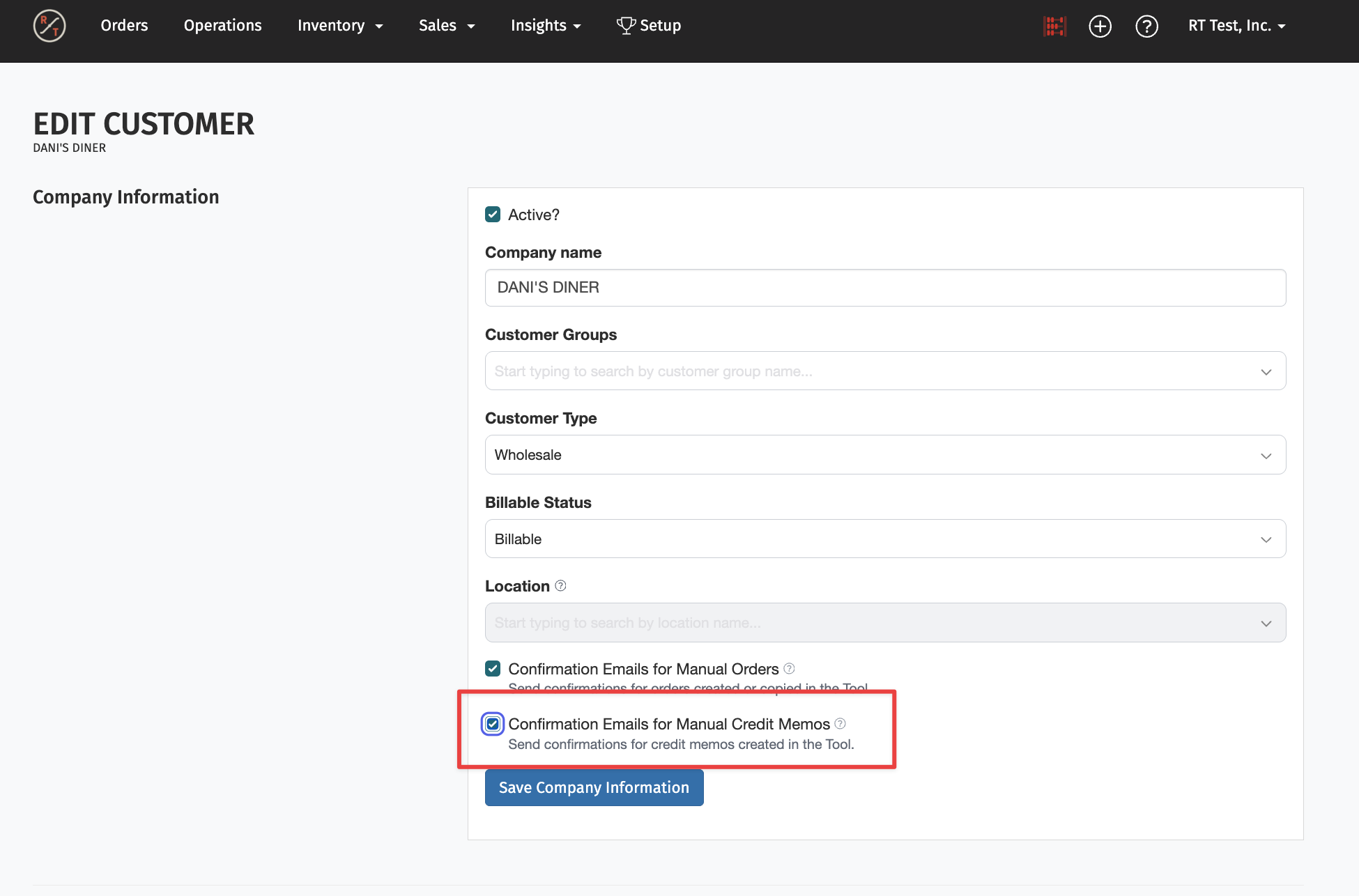
- Open the customer and click Edit.
- Check Confirmation Emails for Manual Credit Memos.
- Click Save Company Information.
RT Users - Get an email when credit is applied
You can get an email whenever credit is applied to an order: by you in the payment panel, by a customer paying an invoice in the Wholesale Portal, or automatically at prepay checkout.
- Profile >Settings > Notifications.
- Turn on Email for Credit Memos - Credit Memo applied.
It's off by default. Each person on your team turns it on for themselves.
Learn More: Every Credit Memo email and its default is listed in Credit Memos: Reasons, Rules and Sync Reference.